
Hope you are fresh and fine, my brother/sister. Today I’m bringing you something that’s trending in the AI world right now — the Nano Banana AI model prompts inside Google Gemini. If you’ve ever wanted to turn a simple photo into a hyper-realistic masterpiece, this new feature is a game-changer.
In this article, we’ll explore what the Nano Banana AI model is, why prompts matter, and I’ll also give you 8 powerful prompts you can try today for mind-blowing results. Stay with me till the end because these prompts will show you how far AI image editing has come.
What is the Nano Banana AI Model?
The Nano Banana AI model is Google Gemini’s latest update for AI-powered image editing. It allows you to upload a photo and then use text prompts to transform that image into something completely new, realistic, and cinematic.
This model is designed for hyper-realism — meaning the results look so real that people often can’t tell whether it’s AI-generated or captured by a professional camera.
Why Use Prompts with Nano Banana AI?
Prompts are like giving directions to AI. The more detailed and creative your prompt, the better your output will be.
Benefits of using prompts include:
- Ultra-realistic photo results
- Full creative control over lighting, background, and details
- Ability to turn imagination into reality instantly
- Perfect for thumbnails, social media, and creative projects
How Image Editing Works in Google Gemini
The process is simple:
- Upload your base image into Google Gemini.
- Enter your detailed prompt.
- The Nano Banana AI model generates the new version.
- You can refine with more prompts until it matches your vision.
8 Nano Banana AI Model Prompts to Try
Now let’s dive into the real fun part — the 8 prompts you can use. I’ve listed them exactly as they should be, so you can copy-paste and test them yourself.
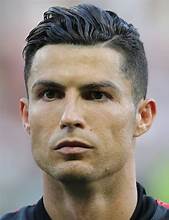
This is orignal photo for editing use
Prompt 1
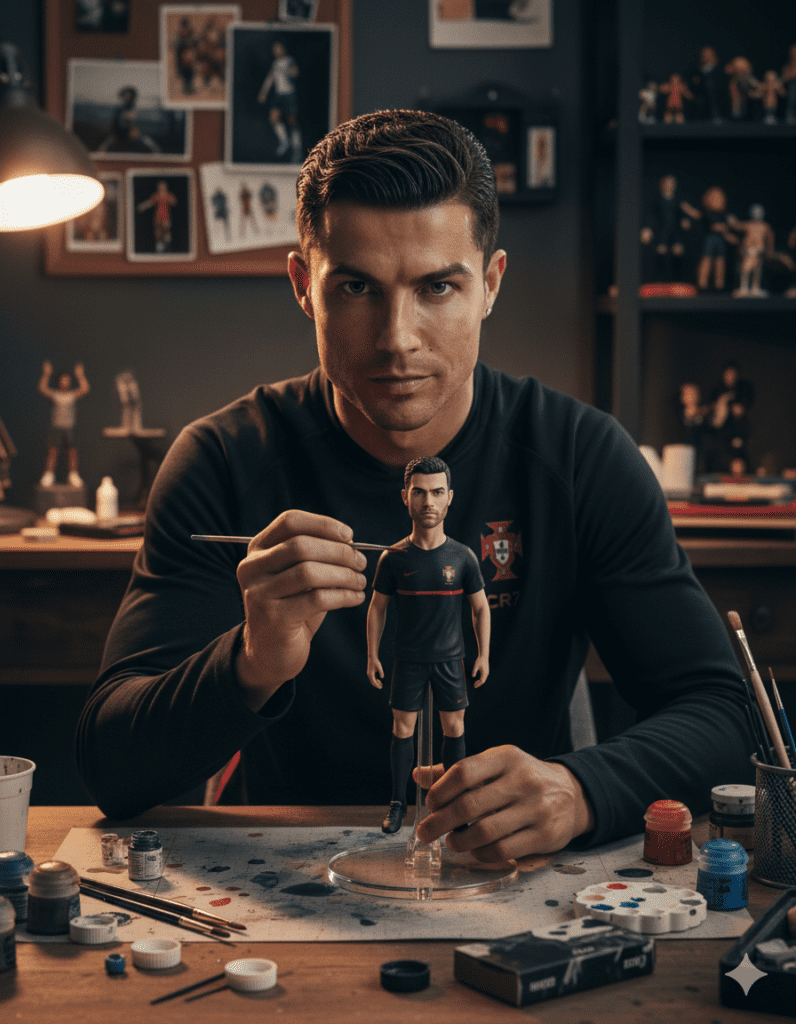
A hyper-realistic cinematic scene featuring the uploaded person 1,338 carefully painting his own figurine at a desk and make direct eye contact with camera.
The figurine is standing on a transparent acrylic display base, but its size is larger than usual, making it appear more prominent and almost half the height of the real person. Both the person and the figurine wear the exact same outfit, matching in details. Around the desk, realistic painting tools, brushes, and hobby items are scattered, creating a creative workshop atmosphere. The figurine must look ultra-realistic with lifelike human skin tone, natural facial details, and premium PVC texture. Realistic indoor background, cinematic studio lighting, and sharp details. Post Size, Ratio & Specs The recommended Instagram story size is 1080 pixels wide by 1920 pixels tall, which
Prompt 2

Place me sitting at a super elegant table. I am wearing an all-black suit black shirt with a silver watch visible on my wrist. The atmosphere should be refined and luxurious, with a sophisticated setting – a modern fine-dining restaurant or a high end lounge, with soft ambient lighting, crystal glasses, and polished details on the table. Keep my exact facial features from the reference photo, blending naturally with the scene. Hyper-realistic, cinematic, stylish, and classy mood.
Prompt 3
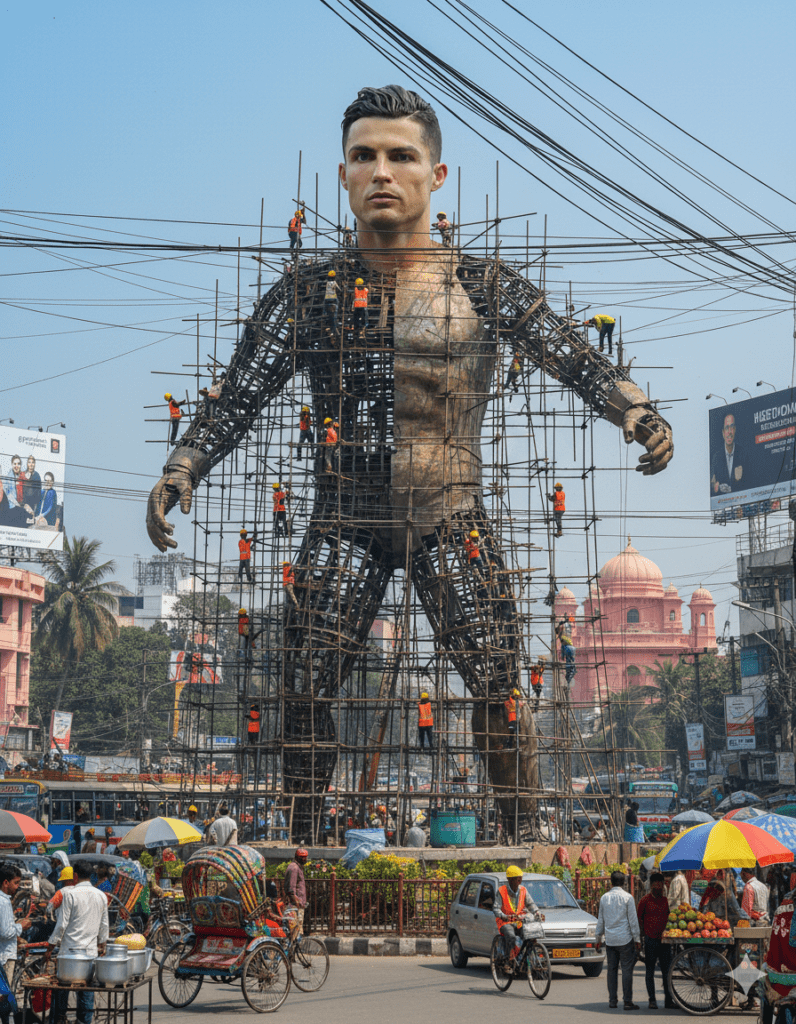
Create a giant hyper-realistic statue based on the given photo, keeping the original face exactly the same without changes. The statue stands tall in the middle of a roundabout in Dhaka, near a famous historical landmark. The statue is still under construction, surrounded by scaffolding, with many construction workers in yellow helmets and orange vests climbing, welding, and working on it. Parts of the statue’s body are still exposed metal framework, while other sections are already detailed and finished. The background shows the realistic atmosphere of Dhaka city: crowded streets with colorful rickshaws, packed buses, and small cars circling the roundabout. Street vendors with tea stalls, fruit carts, and colorful umbrellas line the roadside. Shop signs, big billboards, and messy hanging electric wires crisscross above the streets, creating the typical Dhaka city vibe. The bright daytime sky shines above, with tropical trees and a bustling, lively atmosphere. Style: photorealistic, vibrant, and full of life.
Prompt 4
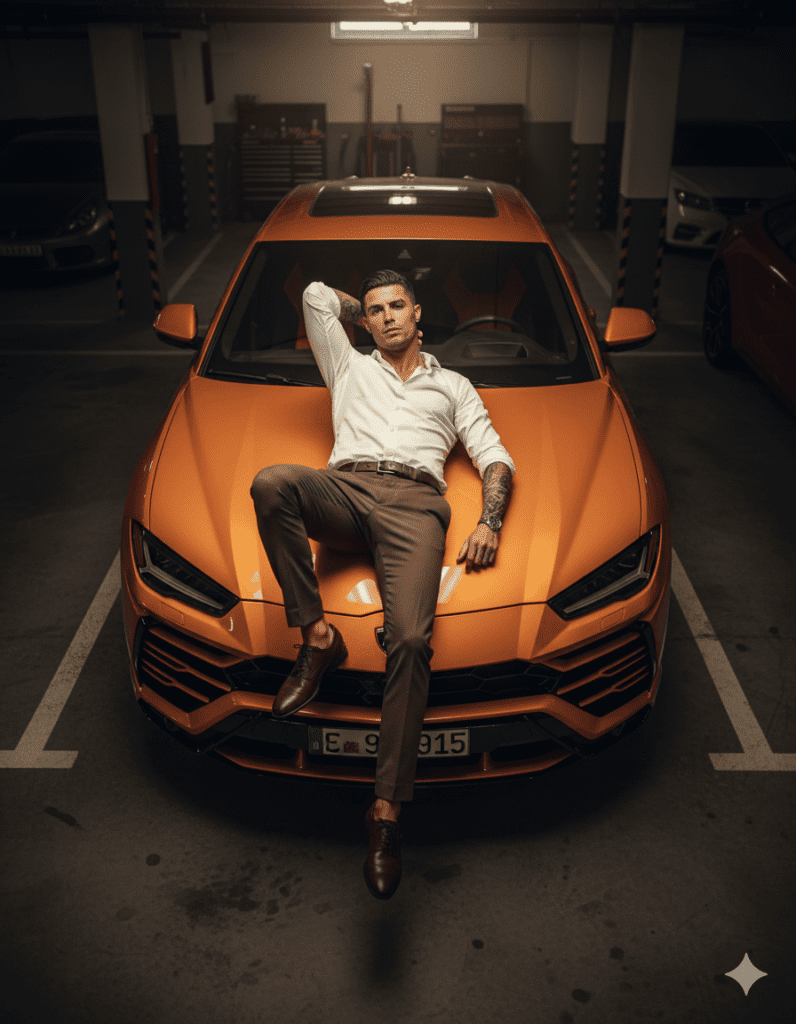
Make my photo Overhead high angle 3:4 full-body shot of a man lying relaxed on the hood of an orange Lamborghini Urus in a dim basement garage. Wearing a crisp white open collar shirt, brown trousers, polished shoes, and a leather strap watch. Tattoo visible on forearm. Soft sunbeam lighting with natural reflections on car, cinematic warm color grading, shallow depth of field, creamy bokeh, hyper-realistic 8K detail, billionaire vibe.
Prompt 5
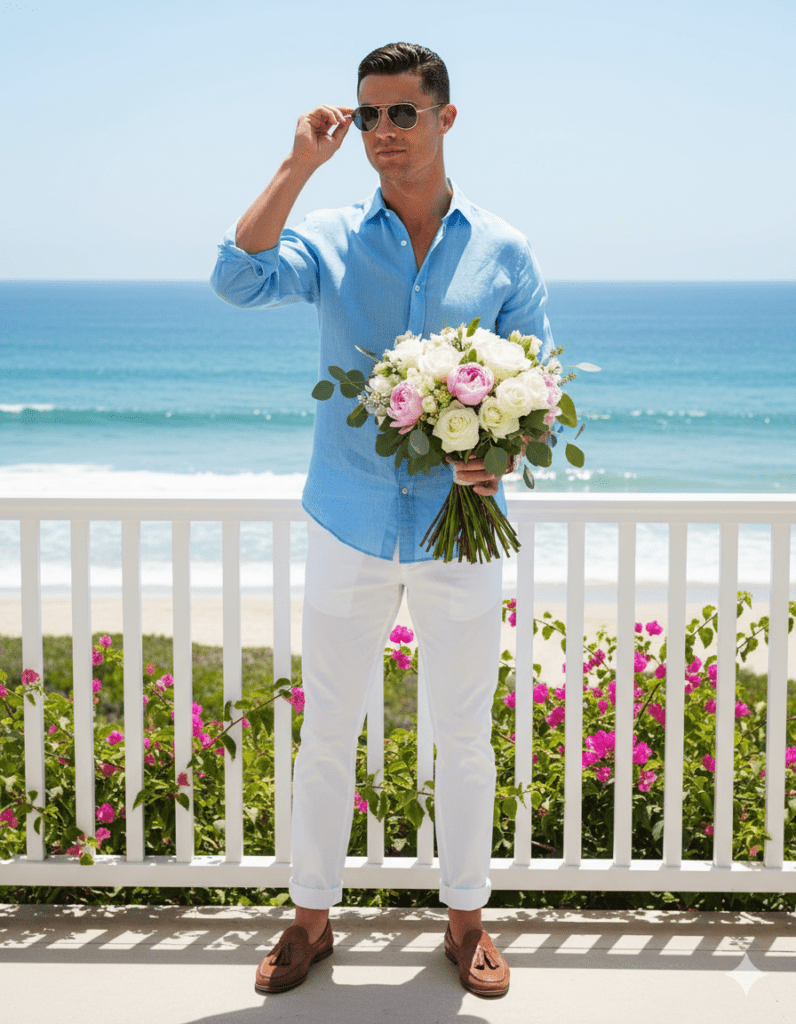
Hyper-realistic portrait 8K. Look: Sky blue shirt, white trousers, loafers, sunglasses. Action: Adjusting his sunglasses with one hand, holding bouquet in the other. Setting: Beachside balcony with ocean waves behind. Mood: Refreshing, romantic, breezy.
Prompt 6
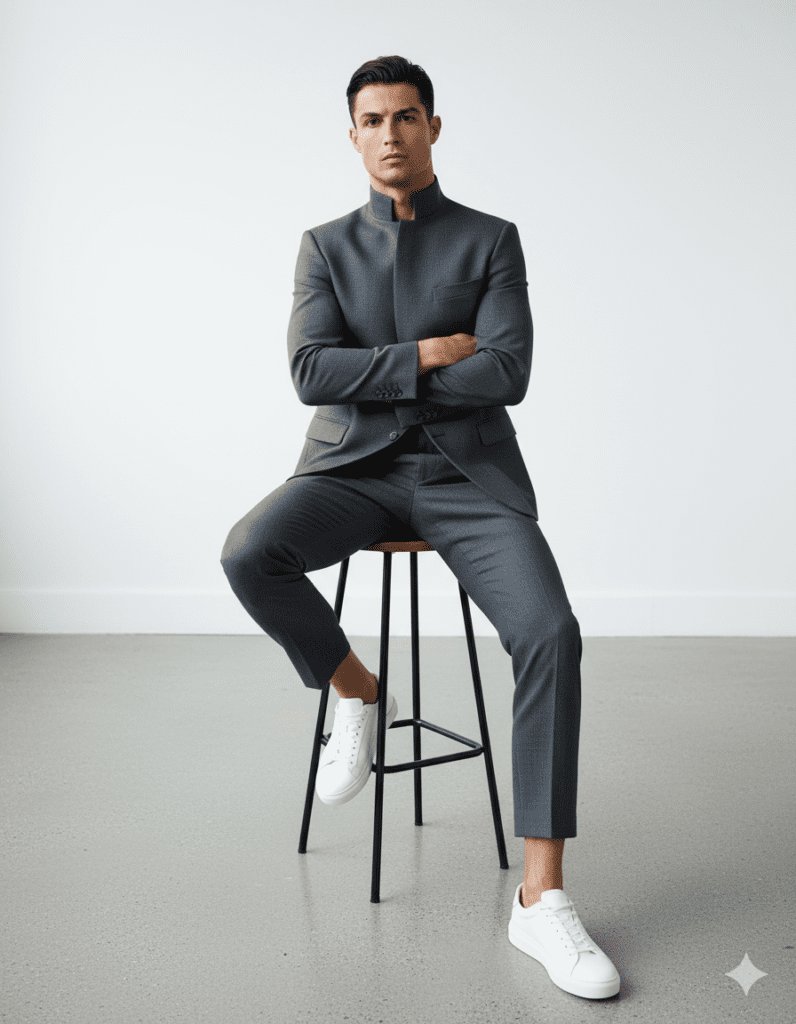
Hyper-realistic portrait of my uploaded face, sitting on a tall stool in a minimalist studio. Wearing a charcoal-gray tailored suit with cropped trousers, high collar blazer, and white sneakers. Arms crossed, leaning slightly forward, confident expression. Neutral background, ultra detailed fabric textures, realistic lighting, fashion editorial quality.
Prompt 7

A hyper-realistic and minimalist black-and-white portrait of a man (based on the uploaded reference), partially covering hir face with hir hand. The expression is intense and mysterious. Dramatic lighting creates strong shadows. with Photorealistic cinematic vertical portrait (9:16).
Prompt 8
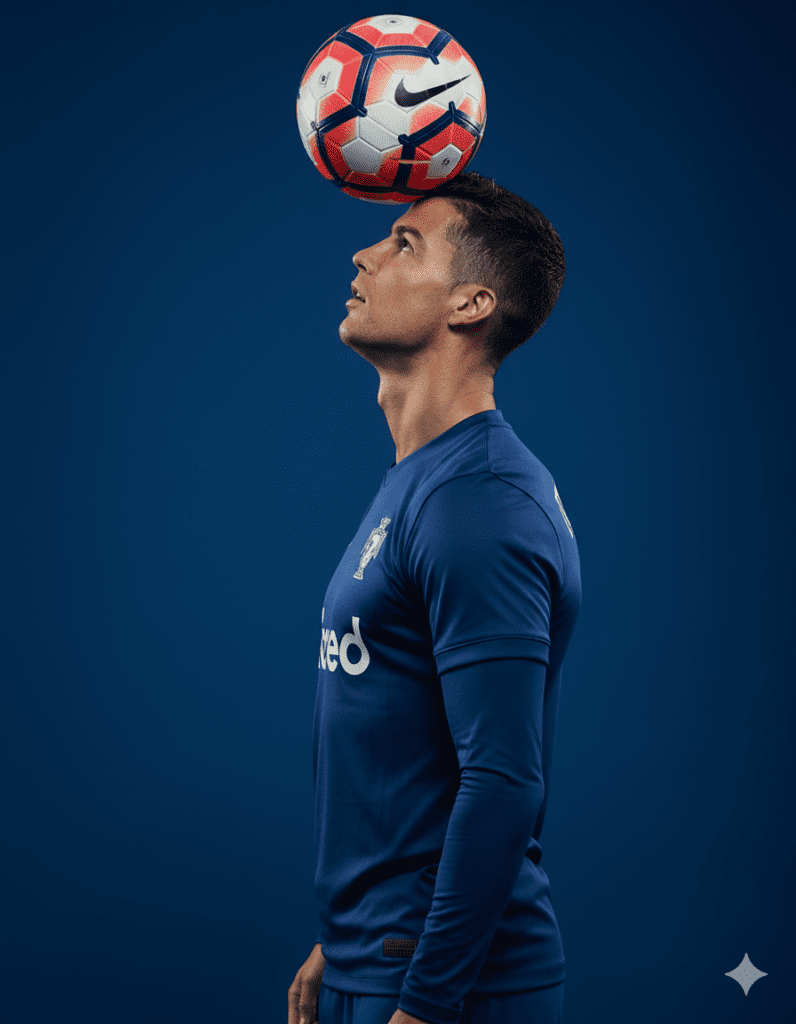
Portrait of me in profile view, balancing a red and white Nike Premier League football on my forehead, looking upwards with full concentration. My posture is upright and confident, neck elongated, lips gently closed, and chin slightly raised. I’m wearing a professional football kit, including a fitted jersey and shorts, adding to the athletic and focused look. The background is a solid deep blue, creating strong contrast with the ball and my outfit. The lighting is dramatic, casting soft shadows on my jawline and emphasizing the spherical shape of the ball. Captured in full color. Same face.
Best Tips for Creating Powerful Prompts
- Be detailed (mention clothes, lighting, background, mood)
- Add camera perspective (overhead, cinematic, close-up)
- Specify quality (8K, hyper-realistic, photorealistic)
- Use emotions (romantic, mysterious, confident)
Nano Banana AI vs Other Image Models
Compared to MidJourney or DALL·E, Nano Banana AI model has:
- More natural skin textures
- Better control with prompts
- Realistic lighting and cinematic depth
Real-World Uses of Nano Banana AI Model
- YouTube thumbnails
- Instagram stories
- Creative portfolio work
- Digital art for branding
- Fun personal edits
Common Mistakes to Avoid with AI Prompts
- Too short or vague prompts
- Not specifying perspective or mood
- Forgetting to mention lighting and details
- Using irrelevant details that confuse AI
Final Thoughts & Call to Action
The Nano Banana AI model is not just another update — it’s a revolution for creators. With the right prompts, you can generate images that feel like professional photoshoots.
👉 Now it’s your turn, my brother/sister. Try out these 8 prompts and share your results with others. Don’t just read — test them today and unlock the true power of AI creativity.
✅ FAQ Section
Q1: What is the Nano Banana AI model?
It’s a Google Gemini AI image editing model that generates hyper-realistic images using prompts.
Q2: Do I need coding to use it?
No, it’s fully prompt-based. Just upload an image and type instructions.
Q3: Can I use these prompts for thumbnails?
Yes, these prompts are perfect for YouTube, Instagram, or blog thumbnails.
Q4: How detailed should my prompts be?
The more details you add (clothes, lighting, mood), the better your result.
Q5: Is Nano Banana AI better than MidJourney?
It’s more realistic for human skin tones and cinematic effects, while MidJourney is great for artistic visuals.